Mnemonica Gate 3.6.0
Dear users,
Mnemonica Gate 3.6.0 is now available. It puts the Gate's window under your control on Windows and Linux, makes the Linux version feel at home on the desktop, and smooths out a few rough edges.
The Gate updates itself: it will offer the new version the next time you open it, or you can check from Options menu → Preferences → Check for updates.
What's new
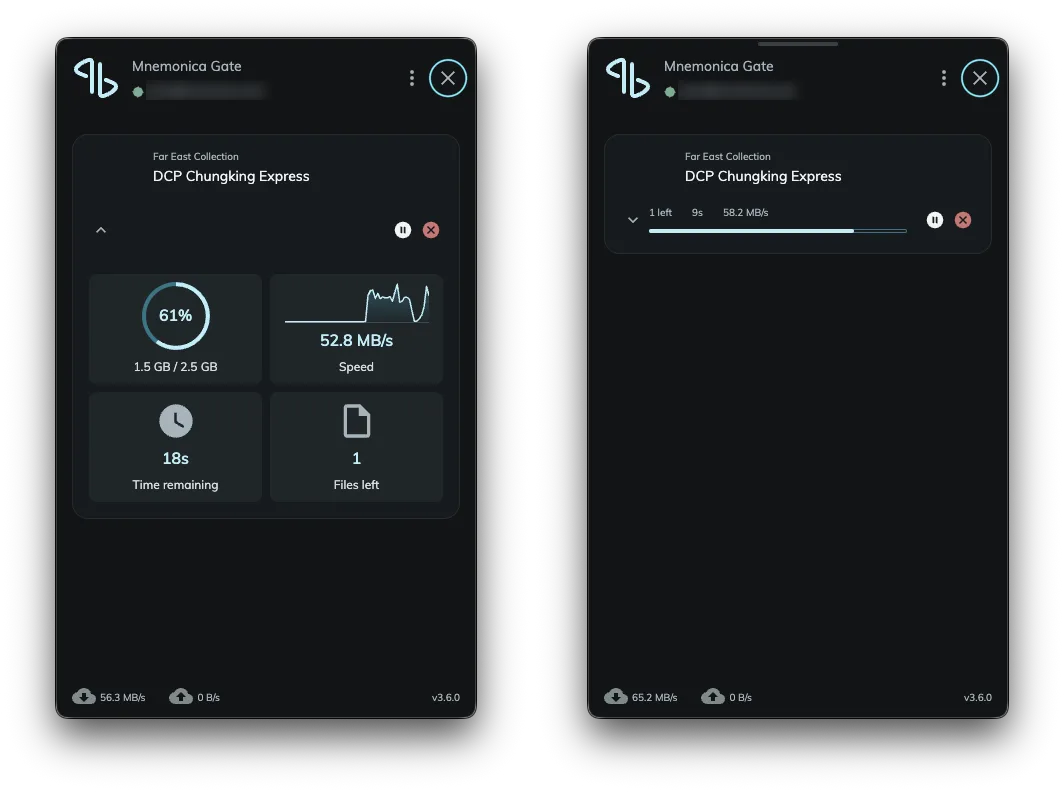
- A close button. The Gate's window now has a ✕ beside the options button. On Windows and Linux the window stays open until you close it, so once your files are queued you can watch the transfer run. On a Mac, clicking elsewhere still closes it, as before.
- A tidier home on Linux. The Gate offers to move its AppImage to the Applications folder in your home, under a name without the version number, and adds itself to your applications menu. You can keep it where it is, and it won't ask again. If the Gate starts at login, that setting follows the file; if you turned it off, it stays off.
- Restarts after updating, on Linux. The Gate now starts again by itself once an update is installed.
- Opens where you expect, on Linux. The window now appears under the tray icon.
Fixes and improvements
- The tray icon on Windows and Linux is now clearly visible on both light and dark taskbars and panels.
- On Windows, the folder picker your browser asks for now opens in front of the browser.
- On Windows machines where the Gate's graphics component can't run reliably, such as some Windows Server 2025 installations, the Gate now draws its window without it.
- The Gate for Linux on ARM (arm64) now starts reliably.
Good to know
- Linux, updating from 3.5.3: the Gate installs this update but doesn't restart on its own this one time. Open it yourself, or it will start at your next login.
- Uploads in progress: an upload interrupted before the update and resumed after it reads its file once from the start to verify it, then carries on.
If you need a hand, our support team is one ticket away.
Cheers, Mnemonica
See how Mnemonica fits your workflow.
Request a demo